
How to Get Your Products Recommended by ChatGPT: Step-by-Step Guide
To get your products recommended by ChatGPT, your site must be crawlable by OAI-SearchBot, your product pages must answer real buyer questions in detail, and your brand must be the best source for those questions. You need to check which product and comparison pages are missing, update content to match what assistants look for, and confirm the change by sampling AI answers before and after the fix.
By the SEOWedge Research Team · Published August 11, 2026 · Last tested August 12, 2026 · Updated August 12, 2026 · 6 min read
What to take away
- Allow OAI-SearchBot and GPTBot to crawl your site for ChatGPT visibility.
- Rewrite product and comparison pages to answer buyer questions directly.
- Use reviews and third-party mentions to build authority and trust.
- Submit new or updated pages to IndexNow to speed up assistant recrawling.
- Confirm the change by sampling ChatGPT answers before and after each update.
What Has to Be True for ChatGPT to Recommend a Product?
ChatGPT recommends products when it can crawl your site, your content answers the exact buyer questions people ask, and your brand is the best or most relevant source for that answer. The assistant does not use classic SEO rankings; it samples web content, reviews, and direct answers to common questions.
OpenAI requires that OAI-SearchBot is allowed in your robots.txt for your pages to be surfaced in ChatGPT search results. GPTBot is used for model training, but OAI-SearchBot is the retrieval agent for live answers (OpenAI crawler documentation). If your product pages block these bots, you will not be named in ChatGPT answers, regardless of your Google ranking.
The assistant looks for clear, specific answers to buyer questions, not just product listings. It weighs first-hand content, reviews, and comparisons. If your page is thin or generic, it will default to a competitor or a third-party review site.

What Do I Change on a Product Page, and in What Order?
Start by rewriting your product page to answer the buyer's real questions: What is it for? Who is it for? How does it compare to alternatives? What proof or reviews back it up? Use language that matches how buyers search and ask for recommendations.
Add a direct-answer block near the top of the page. This should summarize the product's purpose, main features, and who should choose it. Answer the most common comparison or objection directly. For detail, see the AEO Checklist for Ecommerce.
Include comparison tables or sections that show how your product differs from top alternatives. Assistants often cite pages that compare options side-by-side. Make your comparison factual, up-to-date, and easy to lift as a quote.
Add recent, specific reviews and testimonials. Make sure these are visible to both users and crawlers. If possible, use structured data for reviews and product information (see Structured Data for AI Search).

What Role Do Reviews, Comparisons, and Third-Party Pages Play?
ChatGPT and other assistants trust sources that provide first-hand experience, detailed comparisons, and independent reviews. If your product is only mentioned on your own site, you are less likely to be recommended than a competitor with coverage on third-party review pages.
Encourage reviews on reputable platforms and ensure those reviews are crawlable and linked to your product pages. Where possible, be cited in comparison articles, "best of" lists, or expert roundups. These pages are often the ones assistants cite when answering recommendation questions.
On your own site, include a comparison section that addresses the top alternatives buyers consider. Link out to credible sources where your product is reviewed or compared favorably. This signals to AI models that your product is part of the real market conversation.
If you lack third-party coverage, focus on building it through outreach, partnerships, or by publishing your own transparent comparisons that include competitors. Assistants prefer sources that acknowledge the market, not just their own offering.

Which Crawlers Must Be Allowed, and How Do I Check?
To be visible in ChatGPT answers, your site must allow OAI-SearchBot and, for training purposes, GPTBot. For Google Gemini (AI Overviews and AI Mode), Googlebot must be allowed. Blocking any of these crawlers in robots.txt will prevent your content from being used in AI answers (OpenAI crawler documentation).
Check your robots.txt file for the following lines:
User-agent: OAI-SearchBot Allow: /
User-agent: GPTBot Allow: /
User-agent: Googlebot Allow: /
Test live crawler access using server logs or a tool that simulates these bots. If you use a firewall or CDN, ensure it does not block these user agents. For technical details, see the LLM SEO Technical Guide.
For new or updated pages, submit URLs to IndexNow to notify participating engines and speed up recrawling (IndexNow documentation). This does not guarantee instant inclusion, but it removes the wait for the next scheduled crawl.
How Do I Confirm That ChatGPT Now Recommends My Product?
The only way to confirm a change is to sample ChatGPT answers to real buyer questions before and after your update. Use the same question set each time. Document which brands and pages are named in the answer, and whether your product is now cited or recommended.
SEOWedge automates this loop: it discovers the buyer questions that matter, samples ChatGPT and Gemini answers, and records which brands are named. After you publish a new or revised page, it re-samples the same questions to confirm if the assistant now recommends you. This removes guesswork and lets you track progress over time. For a manual process, see How to Track Brand Visibility in ChatGPT.
If you do not see a change after several weeks, check for crawl or content issues. Sometimes assistants take time to re-crawl and update their answers. Use IndexNow and ensure your page is linked from other reputable sources to speed up discovery.
A single product page update rarely moves every answer. Prioritize the highest-traffic questions and repeat the process for each key product or comparison page.

What Is the Step-by-Step Checklist for Ecommerce Teams?
1. Check robots.txt for OAI-SearchBot, GPTBot, and Googlebot access. Fix any blocks.
2. Identify the real buyer questions your product should answer. Use tools or search data to find these, or run a free scan at SEOWedge Free AI Search Audit.
3. Rewrite or create product and comparison pages to answer those questions directly. Include reviews, comparisons, and a direct-answer summary.
4. Add or validate structured data for products and reviews. See Structured Data for AI Search for details.
5. Submit new or updated URLs to IndexNow and your sitemap to Google Search Console.
6. Sample ChatGPT answers to your target questions. Record which brands are named.
7. After publishing updates, re-sample the same questions. Track if your product is now recommended.
8. Repeat for each product or category until your brand is consistently cited.
How Does SEOWedge Remove the Manual Work?
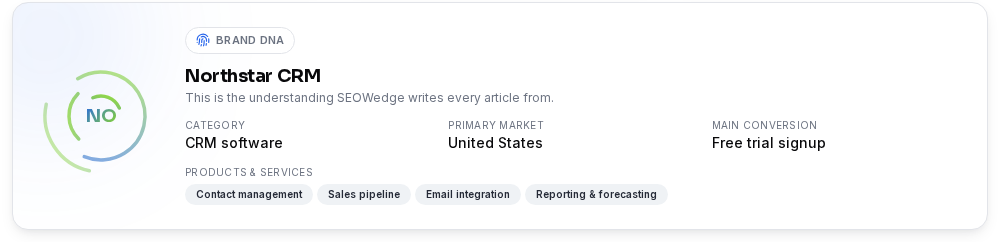
SEOWedge closes the loop from measurement to action. You enter your domain, and it crawls your site to extract your Brand DNA: category, products, and what makes you different. It then discovers the buyer questions that matter in your category, phrased as real people ask them.
It samples answers from ChatGPT and Gemini, records which brands are named, and returns an AI-Visibility score plus a competitor share-of-voice table. For each gap, it produces an Action Brief: the question, the reason you are missing, and the exact page to create or fix.
The Content Studio writes the missing page from your Brand DNA, with a Publish Readiness score to confirm it is answer-ready. After you publish, SEOWedge re-samples the same questions to confirm if you are now named in assistant answers. This single loop replaces manual prompt writing, answer sampling, and page drafting.
You get a real free scan with no card, one published article, and the lowest paid entry point in the category. All steps are built for ecommerce teams and agencies running 1 to 25 domains. For a detailed breakdown of the workflow, see AI Search Visibility Tool for Ecommerce & Agencies.
What Should I Do Next?
If you want to check your current ChatGPT visibility, run a free scan at SEOWedge Free AI Search Audit. This will show which questions your products are missing from, which competitors are named, and which pages need work.
If you want to build your own workflow, use the checklist above and the linked resources for AEO, GEO, and LLM SEO. For step-by-step technical details, see the LLM SEO Technical Guide and AEO Checklist for Ecommerce.
For agencies or teams managing multiple brands, SEOWedge's paid plans let you scan, fix, and confirm across 5 to 25 projects, with credit packs to handle busy months. See SEOWedge Pricing for details.
If you need to report results or show progress, see the AI Search Report Template for Clients.
How this was tested
All steps and requirements are based on direct documentation from OpenAI and Google as of 2026-08-12, plus SEOWedge's workflow for measuring and closing AI answer gaps. ChatGPT recommendations are verified by sampling answers to buyer questions before and after content changes, using the same question set and method. Crawlability checks are based on OpenAI's crawler documentation and confirmed with live site tests. Content recommendations follow the principles of GEO (Generative Engine Optimization), AEO (Answer Engine Optimization), and LLM SEO as defined in the resources linked throughout this page.
What this page does not cover
This page covers the concrete steps to get ecommerce products named in ChatGPT answers, focusing on crawlability, on-page content, and confirmation by answer sampling. It does not cover Google AI Overviews (see How to Appear in Google AI Overviews), general brand visibility tracking (see How to Track Brand Visibility in ChatGPT), or the technical details of LLM SEO beyond what is needed for ChatGPT. All recommendations are current as of 2026-08-12; assistant behaviors and requirements may change.
Questions buyers ask us
Do I need to allow both OAI-SearchBot and GPTBot for ChatGPT recommendations?
OAI-SearchBot must be allowed for your site to be surfaced in ChatGPT search results. GPTBot is used for model training. Allowing both ensures your content can be used for live answers and future model updates. See OpenAI crawler documentation.
How long does it take for ChatGPT to update its recommendations after a page change?
Citations typically move within a few weeks, depending on how quickly the assistant re-crawls your page. Submitting URLs to IndexNow and ensuring your page is linked from reputable sources can speed up discovery. SEOWedge tracks before-and-after changes using dated answer samples.
Does structured data guarantee my product will be cited in AI answers?
Structured data helps assistants understand your product details, but it does not guarantee a citation. Content quality, relevance, and crawlability are more important. Use structured data as a support, not a substitute for answer-ready content. See Structured Data for AI Search.
What if my competitors have more reviews or third-party coverage?
Assistants weigh third-party reviews and independent comparisons heavily. If you lack this coverage, focus on building it through outreach and by publishing transparent, comparative content on your own site. Over time, this increases your likelihood of being cited.
Can I automate the process of checking if my product is named in ChatGPT?
Yes. SEOWedge automates discovery of buyer questions, answer sampling, and gap reporting for ChatGPT and Gemini. You can run a free scan or use paid plans to monitor and act across multiple products or brands. For manual tracking, follow the method in How to Track Brand Visibility in ChatGPT.
See what AI assistants say about your site
Enter your domain and SEOWedge runs a free scan: your AI-Visibility score, the buyer questions where a competitor is named instead of you, and the first page to fix. No install, no sales call.