
Identify and Close Content Gaps for Buyer Questions About Product Installation or Setup with SEOWedge
SEOWedge finds the installation and setup questions buyers actually ask, shows which competitors are cited instead of your site, and gives you a step-by-step Action Brief to create or improve the exact page that closes the gap. The Content Studio then writes that page using your brand profile, scoring it for AI-citable quality before you export. This closes the loop from gap to publish-ready content.
By the SEOWedge Research Team · Published August 24, 2026 · Last tested August 24, 2026 · Updated August 24, 2026 · 8 min read
What to take away
- Run a scan to see which installation/setup questions buyers ask that your site misses.
- See which competitors or third-party pages AI assistants cite for those queries.
- Get an Action Brief for each gap: the question, who wins, and the exact page to create or update.
- Use the Content Studio to generate on-brand, answer-ready installation/setup content.
- Paid plans let you queue and export multiple publish-ready pages at once.
How does SEOWedge find buyer questions about product installation or setup that my site is missing?
SEOWedge starts by crawling your ecommerce site and extracting a Brand DNA profile—category, products, and conversion goal. It then discovers the installation and setup questions buyers actually ask in your category, not just what appears on your FAQ page. These are high-friction, high-conversion queries such as "How do I install this product?" or "What tools are needed for setup?".
Unlike tools that require you to write and maintain prompt lists, SEOWedge discovers these questions automatically for every scan. Each discovered question is phrased the way real buyers ask, reflecting both your site and the broader market. This ensures you see the full range of installation/setup gaps that block AI citations and conversions.
On the Free plan, you get 5 discovered questions per scan; paid plans return 12 or 25 per scan, depending on your tier. Each scan is a one-time snapshot—no ongoing prompt management or manual research required.
For more on how question discovery works and why it matters for ecommerce, see How Does SEOWedge Find Buyer Questions for My Ecommerce Site?.

Can SEOWedge show which competitors are cited instead for installation or setup queries?
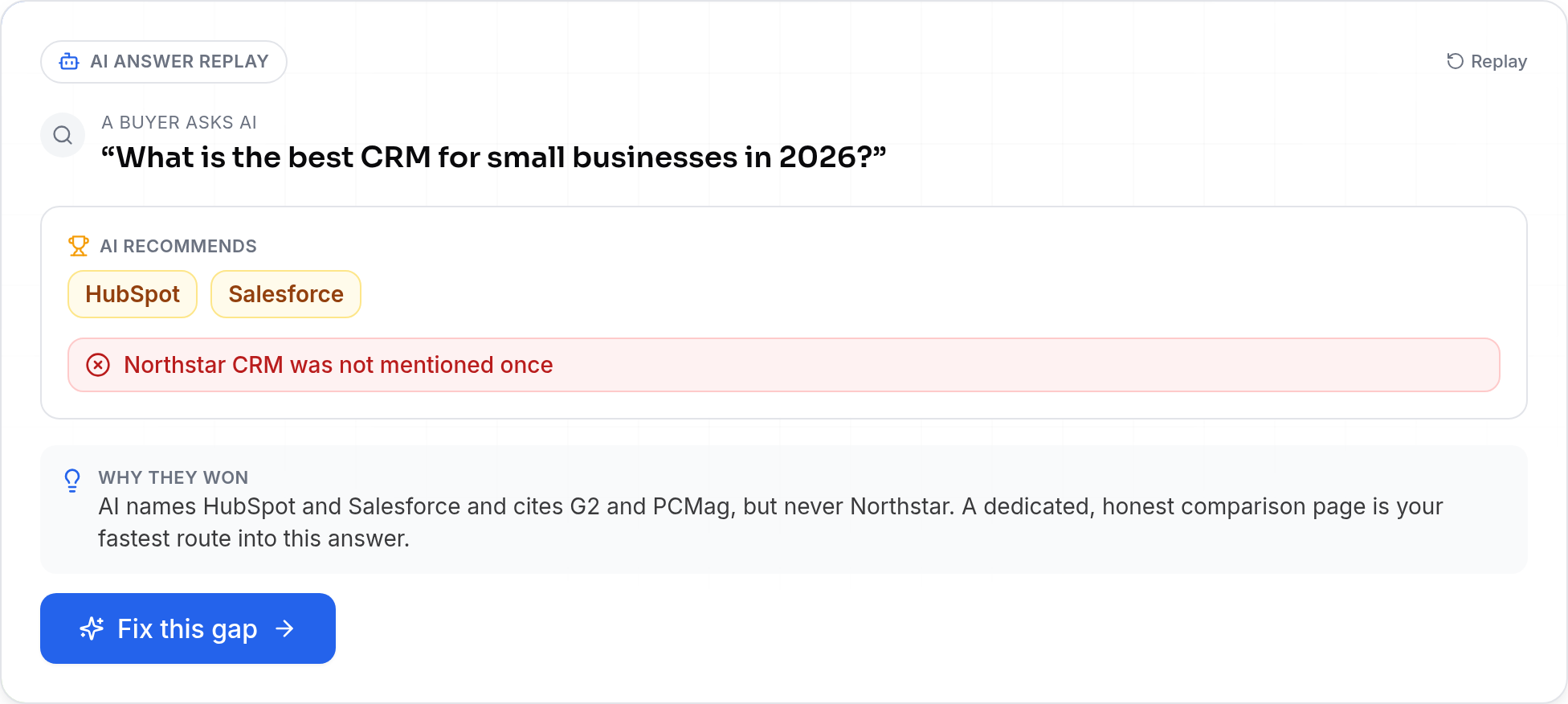
Yes. After discovering the installation/setup questions, SEOWedge sends each one to AI assistants (OpenAI on all plans, plus Google Gemini on paid plans) and records the answers. It captures which brands and specific pages are named or cited for each query.
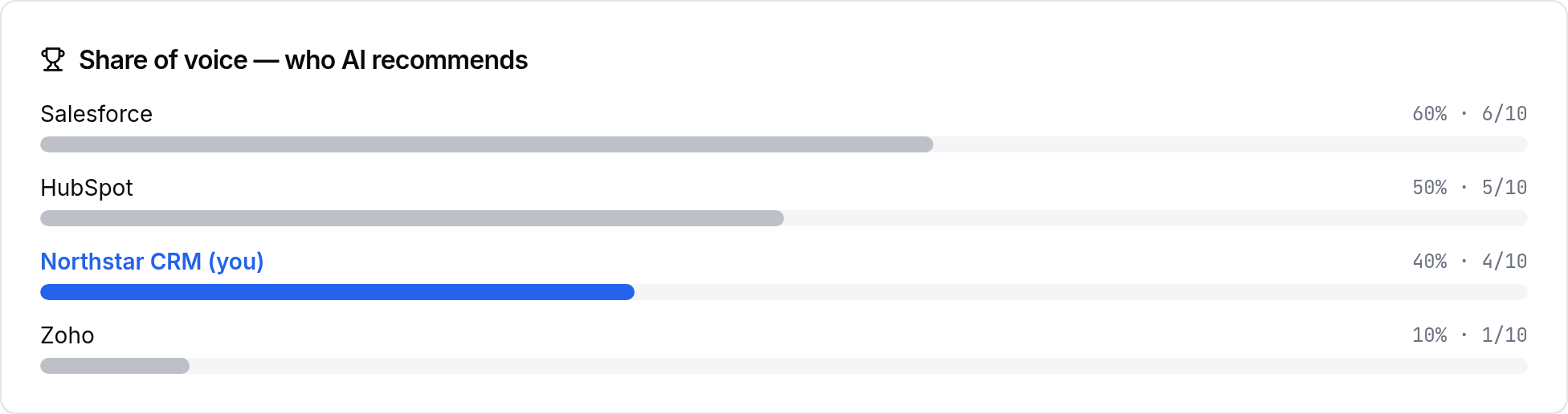
The result is a share-of-voice breakdown: you see exactly which competitors, retailers, or third-party sites are being cited for installation/setup instructions instead of your own site. SEOWedge links each missed citation to the exact page behind the gap, not just the brand name.
This page-level visibility lets you see if, for example, a competitor's help article or a YouTube video is winning the AI answer. You know precisely what you need to beat—no guessing or generic advice.
For a deeper look at how SEOWedge surfaces cited competitor pages, see How Can I See Which Pages ChatGPT and Gemini Are Citing in My Category?.
What actionable steps does SEOWedge provide to create or improve installation/setup pages for AI visibility?
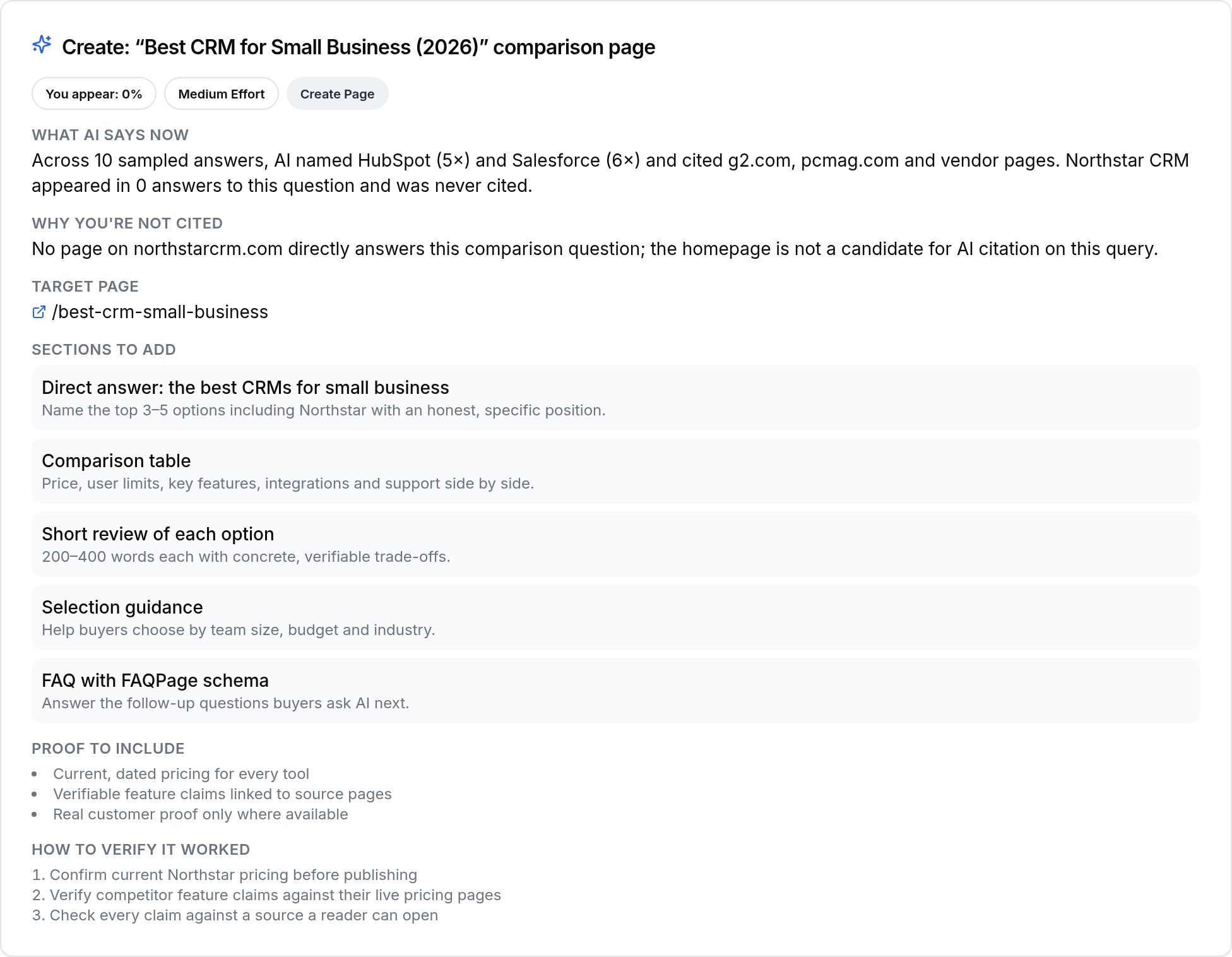
Every missed installation/setup citation is turned into an Action Brief. This brief contains the buyer question, which competitor or page is currently cited, and a summary of what is missing or weak on your site for that query.
The Action Brief specifies the exact page to create or update—whether that's a new installation guide, a revised FAQ, or a how-to video landing page. It explains why the current answer wins and what your content needs to cover to be cited instead.
You can work through these briefs one by one, or, on paid plans, queue several at once for bulk content generation. Each Action Brief is prioritized by impact, so you know which gaps to close first for maximum AI visibility and reduced support burden.
For a full workflow from gap discovery to published fix, see How SEOWedge Turns AI Visibility Gaps Into Actionable Content.
| Action Brief Field | What You Get |
|---|---|
| Question | The exact installation/setup query buyers ask |
| Current Citation | Who and what page is cited now |
| Gap Reason | Why your site is missing or weak |
| Page to Create/Fix | URL or content type needed |
| Priority | Impact ranking for your queue |
What a SEOWedge Action Brief contains for installation/setup gaps.
How does the Content Studio ensure generated installation/setup content is on-brand and ready to publish?
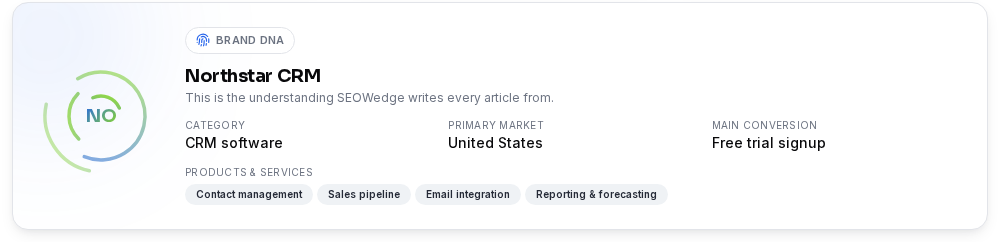
SEOWedge uses your Brand DNA profile—category, product details, tone, and conversion goal—to generate installation or setup content that matches your brand, not just generic instructions. The Content Studio drafts the missing page, FAQ, or guide directly from the Action Brief.
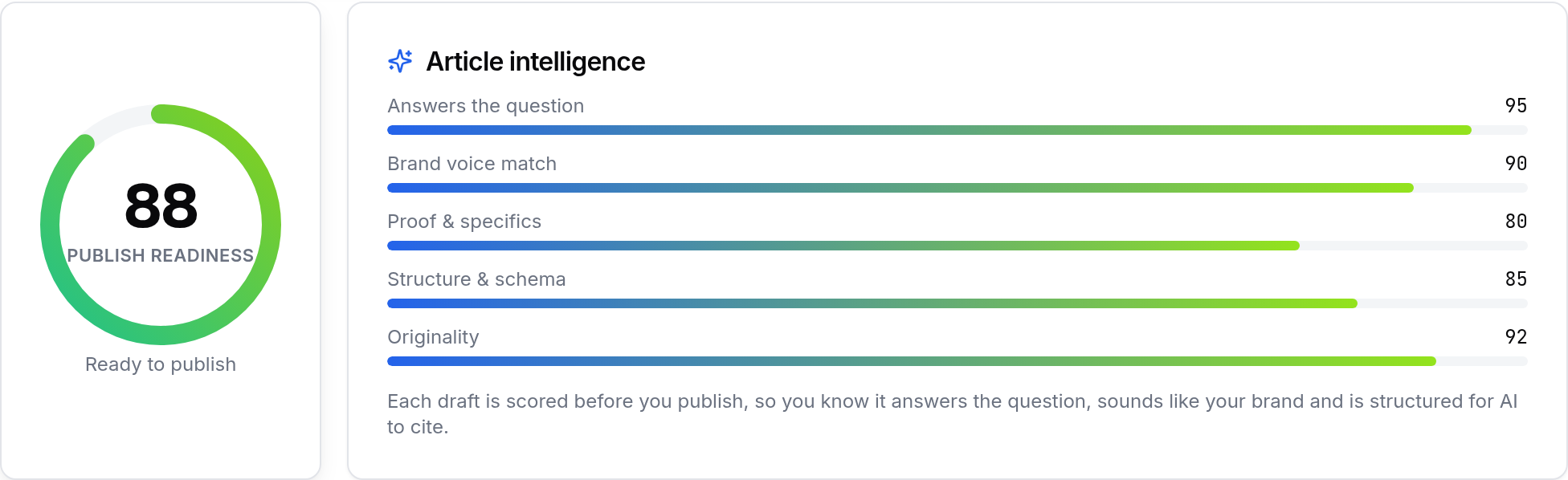
Each draft is scored with a Publish Readiness score before you export. This score checks answer structure, brand voice, keyword coverage, and whether the content is likely to be cited by AI assistants. You can edit the draft, request up to 5 revisions per month on the Free plan (150+ on paid), and export the finished page as HTML or text.
This approach ensures your installation/setup content is both specific to your products and structured for answer engine optimization (AEO) and generative engine optimization (GEO). No off-brand or copycat content—every output is shaped by your own site and product details.
For more on Brand DNA and content quality scoring, see Can SEOWedge Write Pages That Match My Brand Voice?.
How does SEOWedge’s workflow reduce support tickets and increase conversions for installation/setup queries?
Installation and setup questions are a top driver of pre-purchase hesitation and post-purchase support requests. When AI assistants cite your competitor’s instructions—or ignore your brand entirely—buyers either drop off or reach out to support.
By closing these content gaps, you make your site the cited authority for installation/setup queries. This means buyers and AI assistants find your answer first, reducing confusion and the need for direct support. Every Action Brief you close is one less call or email for "how do I set this up?" and one more buyer who converts with confidence.
SEOWedge’s loop—from gap discovery to publish-ready content—removes the manual research and drafting work. You move directly from seeing the missed question to publishing the answer that gets cited, all in one platform.
For a broader look at how this workflow fits into GEO, AEO, and LLM SEO, see GEO vs AEO vs SEO: The Practical Definitions and When Each Matters.

What is the difference between SEOWedge’s approach and classic SEO or prompt-based tools for installation/setup content?
Classic SEO tools track rankings and keywords, but they cannot see which installation/setup questions AI assistants answer or who they cite. Prompt-based AI visibility tools require you to write and maintain every installation/setup prompt, billing you per tracked query.
SEOWedge discovers the real buyer questions automatically, tests them across major AI platforms, and records the actual answers and citations. You see the exact page and competitor behind every missed installation/setup citation, not just a generic keyword gap or a prompt you wrote yourself.
The workflow is built for ecommerce: scan, discover, diagnose, write, and export—all in one place. This is not a general-purpose dashboard or a monitoring tool. It is a direct loop from gap to on-brand, answer-ready content for installation/setup queries.
For a comparison of approaches and what makes SEOWedge different, see What Makes SEOWedge Different from Traditional SEO Tools for Ecommerce?.
What do I get for free, and when should I upgrade for installation/setup coverage?
The Free plan gives you a one-time Lite Scan: 5 discovered installation/setup questions, 1 Action Brief, and one free article generated and scored for publish readiness. No card is required. You can see which competitors are cited and get a complete workflow for a single gap.
Paid plans (Pro and Agency) unlock more questions per scan (12 or 25), up to 8 or unlimited Action Briefs per scan, and bulk article generation—3 at a time on Pro, 10 on Agency. Paid plans also add Google Gemini coverage, more revisions, and report exports. You can buy credit packs to extend any limit without changing plans.
If you need to close multiple installation/setup gaps, cover more products, or export several pages for a campaign, upgrading is the practical next step. For a plan breakdown, see SEOWedge Pricing or the Free vs Paid Plans guide.
| Plan | Questions/Scan | Action Briefs/Scan | Articles/Month | Bulk Generation | Providers |
|---|---|---|---|---|---|
| Free | 5 | 1 | 1 | 1 at a time | OpenAI (GPT) |
| Pro | 12 | 8 | 30 | 3 at a time | OpenAI (GPT) + Google Gemini |
| Agency | 25 | Unlimited | 150 | 10 at a time | OpenAI (GPT) + Google Gemini |
SEOWedge plan features for installation/setup content gaps.

How do I know when my installation/setup content is ready for AI citation?
Every page or article generated in SEOWedge is scored for Publish Readiness. This score checks if the content answers the buyer question directly, matches your brand voice, covers the required steps or tools, and uses the structure AI assistants prefer for citation.
You can review the draft, edit for clarity or detail, and request further revisions. Once the score is high and the content matches your policies, you export and publish. SEOWedge also supports IndexNow submission, so new or updated installation/setup pages are seen by participating engines as soon as you go live.
This deterministic scoring removes guesswork—when SEOWedge says a page is ready, it means the structure and detail meet the requirements for AI citation. For more on Publish Readiness, see Brand Voice and Publish Readiness.
What’s my next step if I want to close installation/setup content gaps with SEOWedge?
If you want to see which installation/setup questions your site is missing and which competitors are being cited, start with a free scan—no card needed. Enter your domain, review the discovered questions and Action Brief, and generate your first on-brand, answer-ready installation or setup page.
If you need to close multiple gaps, cover more products, or want Gemini coverage, upgrade to a paid plan for more scans, Action Briefs, and bulk content generation. Use the prioritized opportunity list to work through your highest-impact installation/setup queries first.
For more detailed workflows on closing product-level or category-level gaps, see product page gaps or category page visibility.
SEOWedge is the only tool in this category that closes the loop: it measures the AI answer, names the gap, and writes the page that closes it—all from your brand profile. Start with a scan, review your Action Briefs, and move directly to content that gets cited.
How this was tested
All data and workflow steps on this page are based on SEOWedge's live product as of 2026-08-24. Buyer questions are discovered by crawling the submitted domain, extracting category and product context, and surfacing high-intent installation/setup queries from both the brand's site and its competitive set. These questions are sent to OpenAI (GPT) on all plans, and Google Gemini on paid plans, with each answer sampled and stored. Citations and competitor sources are recorded per platform. Action Briefs and content generation steps are drawn directly from the scan output. Publish Readiness scoring is deterministic, based on answer structure, brand DNA alignment, and AEO/GEO best practices.
What this page does not cover
This page focuses on identifying and closing content gaps for installation and setup questions using SEOWedge. It does not cover gaps for materials, warranty, returns, or care topics—see content gaps for materials/ingredients or warranty/returns for those workflows. Coverage is limited to the AI platforms and workflow steps supported by SEOWedge as of 2026-08-24.
Questions buyers ask us
How does SEOWedge discover installation/setup questions I don’t already cover?
SEOWedge crawls your site and competitive set, extracts your product and category context, and surfaces the installation/setup questions buyers actually ask in your market. These are not limited to your existing FAQ or help pages—they reflect real buyer intent and market gaps.
Can I see which competitor page is being cited for a specific installation question?
Yes. SEOWedge records the exact page or URL cited by AI assistants for each installation/setup query. You see not just the brand, but the specific help article, guide, or video that wins the answer, letting you target your content fix precisely.
Is the generated installation/setup content generic or does it match my brand?
All content is generated from your Brand DNA profile, which includes your category, products, tone, and policies. The Content Studio ensures every installation/setup page is specific to your brand and products, not a generic template.
What if I need to cover installation/setup for multiple products at once?
Paid plans allow bulk article generation—3 at a time on Pro, 10 on Agency—so you can address multiple installation/setup gaps efficiently. Each Action Brief is tied to a specific product or query, and the Content Studio drafts each page from your brand profile.
How do I know if my new installation/setup page is ready to be cited by AI assistants?
SEOWedge scores every draft for Publish Readiness, checking answer structure, brand alignment, and citation likelihood. You can edit, revise, and export only when the score is high enough for AI citation.
What happens after I publish the new installation/setup page?
Once published, SEOWedge supports IndexNow submission to notify participating engines. AI assistants will see the new or updated page on their next crawl. Citations move over weeks, not hours, so the process is built for this timeline.
See what AI assistants say about your site
Enter your domain and SEOWedge runs a free scan: your AI-Visibility score, the buyer questions where a competitor is named instead of you, and the first page to fix. No install, no sales call.