
How Can I Use SEOWedge to Get My Brand Cited in AI-Powered Product Recall or Safety Alert Answers?
SEOWedge shows if your recall or safety alert pages are missing from AI answers, diagnoses why assistants cite third-party or outdated sources, and produces on-brand, answer-ready content to close the gap. You see which question costs you the citation, which page is being cited instead, and get a publish-ready fix—all in one loop.
By the SEOWedge Research Team · Published August 28, 2026 · Last tested August 28, 2026 · Updated August 28, 2026 · 6 min read
What to take away
- Run a free scan to see if AI assistants cite your official recall or safety alert pages.
- Get a page-level diagnosis showing which third-party or outdated sources are cited instead of you.
- See the exact question and gap costing you the citation, not just a generic score.
- Generate on-brand, AI-citable recall or safety alert content using your Brand DNA profile.
- Act on a single Action Brief: know what to fix, publish, and submit for faster AI recognition.
How do I check if my recall or safety alert page is missing from AI answers?
You start by entering your domain into SEOWedge. The tool crawls your site, builds a Brand DNA profile, and discovers the high-intent recall and safety alert questions buyers or regulators actually ask—phrased as real queries, not just keywords. SEOWedge then sends these questions to AI assistants (OpenAI on all plans, plus Google Gemini on paid plans) and records which brand and which page is cited in each answer.
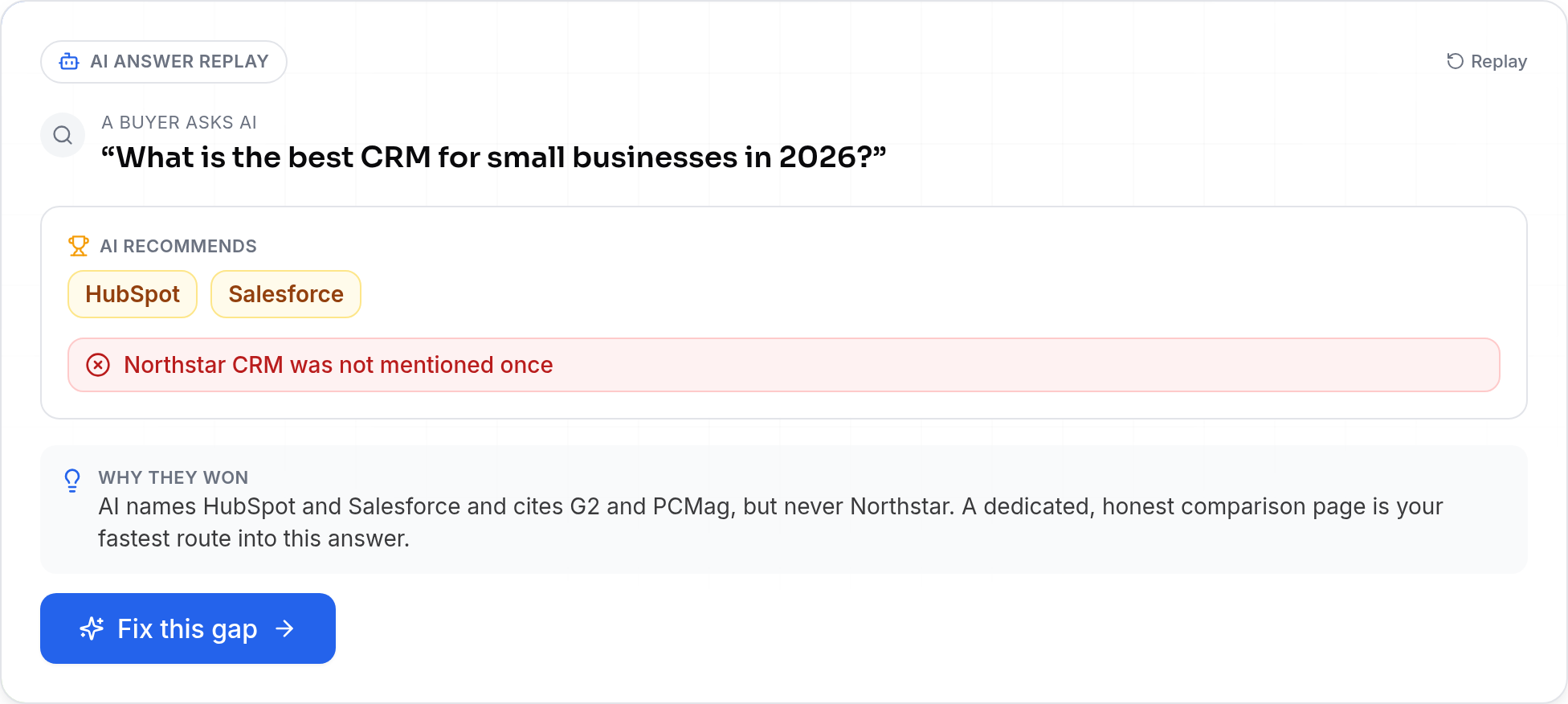
If your official recall or safety alert page is not named or cited, SEOWedge flags this as a visibility gap. You see a dated, platform-specific record of what the AI answer actually said, which competitor or third-party was cited, and which question triggered the miss. This is not a generic score: it is a direct, answer-level snapshot for each recall or safety alert query.
How does SEOWedge diagnose why an AI assistant cites a third-party or outdated source?
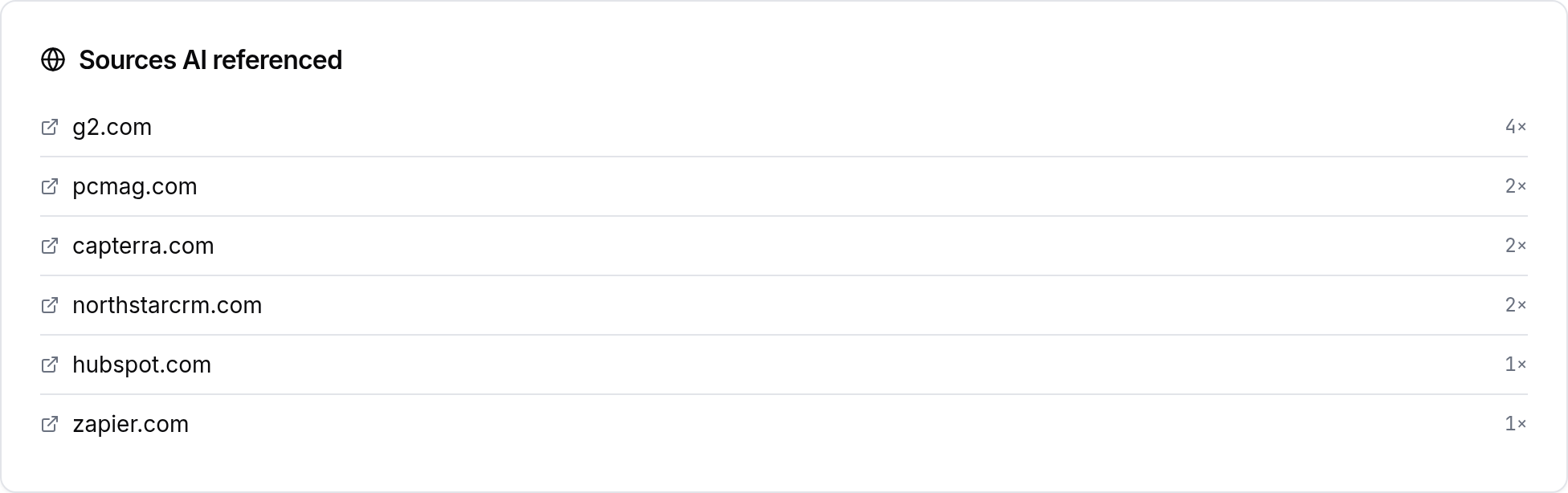
SEOWedge does not just show that your brand is missing; it shows exactly which third-party, regulator, or outdated page is being cited instead. For each recall or safety alert query, you see the full text of the AI answer, the cited source, and the reason your page was skipped—whether it’s missing detail, outdated, or not structured for AI citation.
This diagnosis is delivered as an Action Brief. The brief names the gap, explains why the AI model chose another source, and points to the specific page or content block that needs to be created or fixed. You do not have to guess why a government site, news outlet, or competitor is cited for your own recall or safety alert: SEOWedge shows the mechanism behind the miss.
What steps do I take to make my recall or safety alert page the cited source?
SEOWedge turns each missed recall or safety alert citation into a concrete next step. After diagnosis, you receive an Action Brief that tells you: the exact question buyers or regulators are asking, which page is currently being cited, and what your new or revised page must cover to become the trusted source.
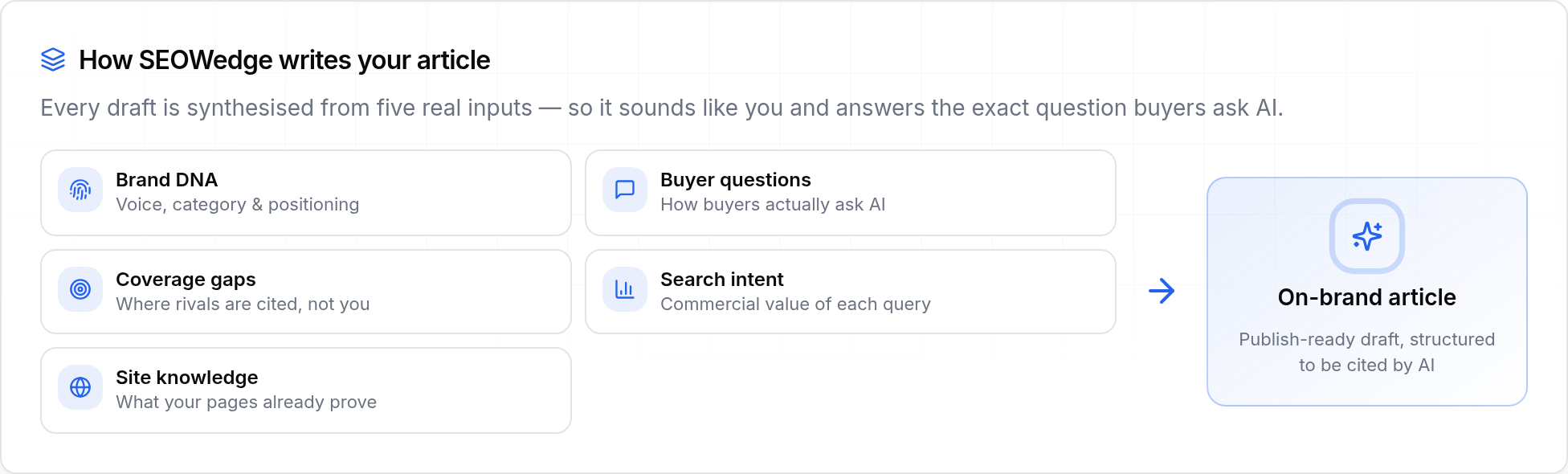
You then move into the Content Studio, where SEOWedge generates a draft recall or safety alert page using your Brand DNA profile. This draft covers the required facts, matches your brand’s authority and tone, and is structured for AI answer retrieval. The system scores the draft for Publish Readiness—so you know before publishing if it meets the standards for AI citation.
Once your new recall or safety alert page is published, SEOWedge supports IndexNow submission, notifying search engines and AI assistants of the update. This increases the chance your official page is picked up and cited in future AI answers. The loop is: diagnose the gap, generate the fix, publish, and track the new citation.

How does SEOWedge’s Content Studio ensure recall and safety content is on-brand and AI-citable?
The Content Studio uses your Brand DNA profile—extracted from your site’s actual content, category, and market positioning—to generate recall or safety alert pages that match your official language and authority. You review and edit the draft inside SEOWedge, so all compliance and brand requirements are met before publishing.
Every generated page is scored for Publish Readiness. The score checks for coverage of critical recall or safety facts, clarity, direct answer structure, and on-brand voice. This deterministic score means you know in advance if the page is likely to be cited by AI assistants, reducing the risk of being overlooked or misrepresented.
Unlike generic AI writers, SEOWedge’s process is built for high-trust, high-risk queries: you see exactly what must be included for AI citation, and the draft is never generic or off-brand. You can revise as needed before exporting or publishing the final version.
What makes recall and safety alert queries different from classic SEO or other AI content jobs?
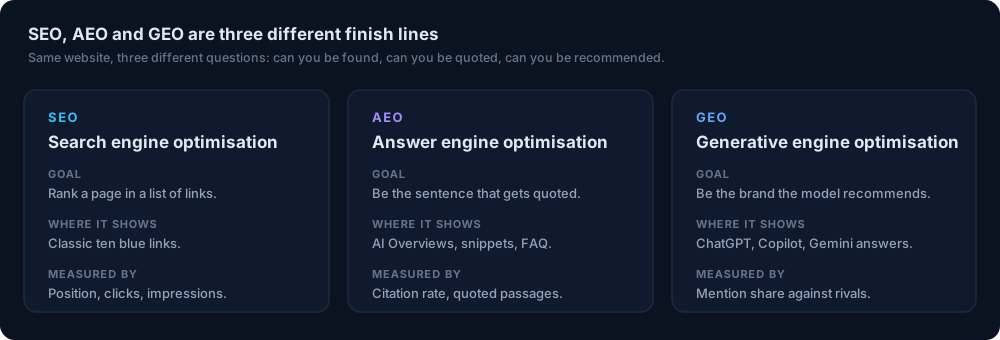
Recall and safety alert queries are high-trust, high-risk: buyers, regulators, and AI assistants need authoritative, up-to-date, and unambiguous answers. Unlike classic SEO, where a page might rank based on links or general authority, AI assistants sample and cite the source that most directly answers the question—often in a single passage.
If your recall or safety alert content is missing, outdated, or not structured for direct retrieval, AI assistants default to third-party or regulator pages. SEOWedge’s workflow is designed for this reality: it measures actual citations in AI answers, not just web rankings, and produces the specific content needed to win those citations. This is answer engine optimization (AEO) and generative engine optimization (GEO) in action—focused on being the quoted, trusted source for critical queries.
For a broader breakdown of how AEO, GEO, and LLM SEO differ from classic SEO, see this comparison guide.
How does SEOWedge’s workflow compare to manual checks or classic brand monitoring?
Manual brand monitoring or SEO audits cannot show which recall or safety alert queries are actually asked in AI assistants, nor which page is being cited in real answers. SEOWedge automates discovery of high-intent recall and safety questions, samples AI answers across platforms, and produces a dated, reproducible record of what each model said.
The workflow removes guesswork: you do not have to write your own prompts, track third-party mentions by hand, or rely on anecdotal AI answer checks. SEOWedge’s scan, Action Brief, and Content Studio loop means you see the real gap, know the cause, and can publish a fix in one pass.
For a practical comparison of SEOWedge to other AI search visibility tools and legacy SEO dashboards, see this detailed breakdown.

What do I get for free, and when should I upgrade for full recall and safety alert coverage?
The SEOWedge Free plan gives you a one-time Lite Scan: you enter your domain, and get a snapshot of AI visibility, competitor share of voice, and the top recall or safety alert question costing you a citation. You receive one Action Brief and one free article, with no card required. This is enough to see if your recall or safety alert page is missing from AI answers and to generate a single on-brand, answer-ready fix.
Paid plans unlock more: Pro covers up to 5 projects and 20 Full Scans per month, discovering a broader set of recall and safety alert queries and producing up to 8 Action Briefs per scan. Agency plans scale this further for multi-brand or multi-client teams. Paid plans also cover Google Gemini (AI Overviews/AI Mode), bulk article generation, and PDF report exports.
If you need to cover multiple recall or safety alert issues, or want to track both OpenAI and Gemini answers, upgrade to a paid plan for full coverage and workflow flexibility. See the pricing page for details.

What is my next step if I want my recall or safety alert cited in AI answers?
Start by running a free scan at SEOWedge signup. You will see instantly if your recall or safety alert page is missing from AI answers, which third-party or outdated source is being cited, and get a concrete Action Brief for your top gap. Use the Content Studio to generate your first answer-ready recall or safety alert page for free.
If you need to cover more queries or want to automate recall and safety alert coverage across multiple products or incidents, review the paid plan options or see a public sample report for a real output. For broader recall and safety alert optimization strategy, or to understand the difference between GEO, AEO, and LLM SEO for high-risk queries, see the GEO guide or AEO guide.
How this was tested
All SEOWedge numbers and screenshots on this page are from dated, platform-specific answer samples and workflow steps tested as of 2026-08-28. The scan process runs recall and safety alert buyer questions through OpenAI (GPT) on all plans, and Google Gemini on paid plans, recording which brand and source is cited for each. Page-level gaps and Action Briefs are generated from this sampled answer set. Content generation and Publish Readiness scoring use the Brand DNA profile extracted from your site at scan time.
What this page does not cover
This page covers how SEOWedge finds, diagnoses, and fixes AI citation gaps for product recall and safety alert queries. It does not address legal compliance or regulatory approval for recall content, nor does it replace official reporting requirements. For broader GEO, AEO, or technical LLM SEO guidance, see the GEO guide or the LLM SEO guide.
Questions buyers ask us
How do I know if AI assistants are citing my official recall or safety alert page?
SEOWedge samples real AI answers for recall and safety alert queries and records the exact URL and brand cited in each answer. You see a dated, platform-specific record of what was said and which page is referenced, not just a brand mention or generic score.
Can SEOWedge tell me why a third-party or outdated page is being cited instead of mine?
Yes. Each Action Brief explains why your page was skipped—whether it’s missing facts, not structured for direct retrieval, or not seen as the authoritative source. You see the cited competitor or regulator page, the question that triggered the miss, and what must be fixed to win the citation.
What if my recall or safety alert information changes—can I update the content?
You can revise the generated page in the Content Studio before publishing, and on paid plans, you can generate multiple articles or revisions per month. SEOWedge supports IndexNow submission so search engines and AI assistants are notified of updates as soon as you publish.
Is SEOWedge compliant with legal or regulatory requirements for recall content?
SEOWedge generates content using your Brand DNA and lets you edit every draft before publishing. It does not replace legal review or official reporting. For regulated industries, always review generated content for compliance before publishing.
How long does it take for a new recall or safety alert page to be cited by AI assistants?
AI assistants re-crawl and update their citations on a schedule that usually takes weeks, not hours. SEOWedge supports IndexNow submission to accelerate discovery, but cannot guarantee instant citation. You can track which answers change after your new page is published.
Can I use SEOWedge for multiple recall or safety alerts at once?
On paid plans, you can run multiple scans and generate several recall or safety alert pages in a queue. The Pro plan supports up to 5 projects and 30 articles per month; Agency plans scale further for multi-brand or multi-client coverage.
See what AI assistants say about your site
Enter your domain and SEOWedge runs a free scan: your AI-Visibility score, the buyer questions where a competitor is named instead of you, and the first page to fix. No install, no sales call.