
How Can I Use SEOWedge to Diagnose Why My Brand Is Cited for the Wrong Product in AI Answers?
SEOWedge diagnoses when your brand is cited for the wrong product or page in AI answers by sampling real assistant responses, pinpointing the misattribution, and generating an Action Brief that explains the cause. It then guides you to create or update the right content so future AI answers cite the correct product or page.
By the SEOWedge Research Team · Published August 24, 2026 · Last tested August 24, 2026 · Updated August 24, 2026 · 7 min read
What to take away
- SEOWedge surfaces exactly when and where your brand is misattributed in AI answers.
- You see the specific question, platform, and competitor or page that is incorrectly cited.
- The Action Brief explains why the wrong product or page was chosen and what to fix.
- You can generate a new, on-brand page or revise the existing one using the Content Studio.
- The workflow closes the loop: from diagnosis to publish-ready, AI-citable content.
Can SEOWedge Identify When My Brand Is Cited for the Wrong Product or Page in AI Answers?
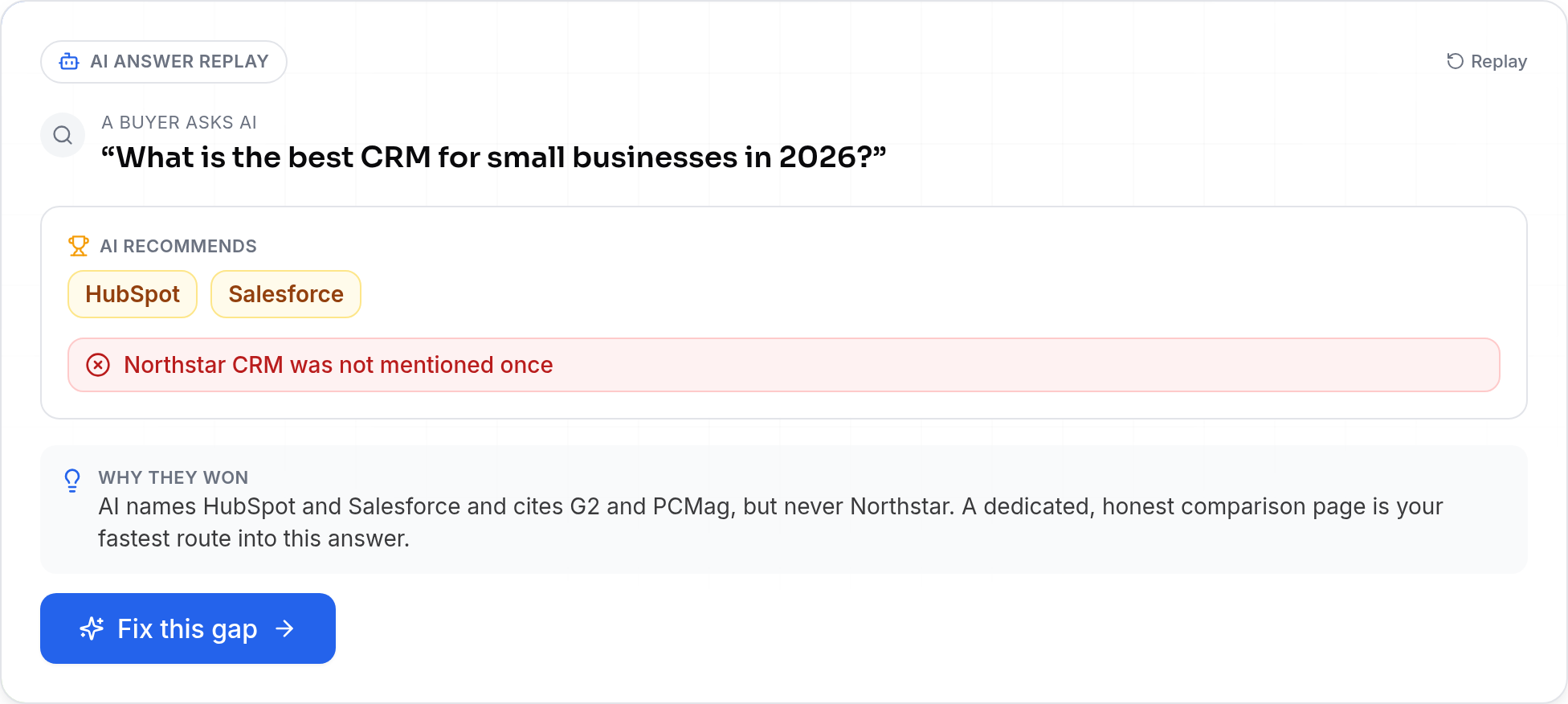
SEOWedge records which brand and page each AI answer actually cites for every tested buyer question. If your brand appears in an answer but the cited product, URL, or summary does not match your intended product or page, SEOWedge flags this as a misattribution. This is not a guess or a keyword match—it is a sampled, dated observation from the AI assistant's real output.
You see the exact question, the answer text, and the linked or referenced source. This lets you confirm if, for example, your brand is credited for an outdated product, a generic page, or even a competitor’s offering. The scan covers both OpenAI (GPT) and, on paid plans, Google Gemini, so you see misattributions across multiple AI platforms.
This diagnostic is included in every scan. No manual prompt writing or guesswork is required—the workflow surfaces misattributions automatically as part of the gap analysis.
How Does SEOWedge Pinpoint the Specific Misattribution and Its Cause?
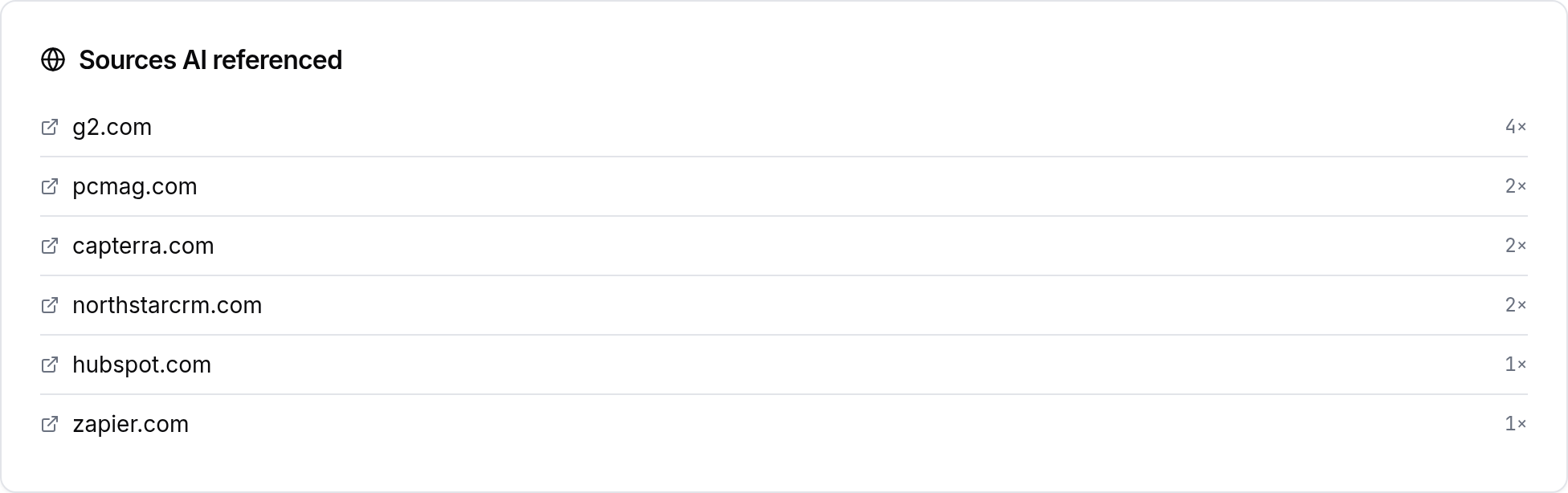
When a misattribution is detected, SEOWedge breaks down the answer to show: the buyer question asked, the AI assistant’s verbatim response, the cited URL or brand, and the context of the citation. It then compares this against your intended product or landing page for that question.
The Action Brief generated for each misattribution explains why the AI assistant chose the wrong product or page. Common causes include: a competitor’s page better matching the buyer question, outdated or thin content on your side, or a page structure that does not signal product relevance clearly to the model.
SEOWedge’s method is deterministic: it samples the same question across platforms, records the answer, and surfaces any mismatch as a concrete, actionable gap—not a theoretical or speculative issue. This is what makes the output credible and actionable, not just a list of missing keywords.
What Does the Action Brief Tell Me About the Wrong Citation?
Each Action Brief explains the buyer question, the answer given by the AI, the actual cited source, and the reason your intended product or page was not chosen. It names the specific competitor or irrelevant page being cited and describes what is missing or misaligned on your side.
The brief will specify if the issue is content (e.g., your page does not answer the question directly), technical (e.g., the page is not crawlable by AI bots), or structural (e.g., the schema or headings do not match the buyer’s intent). This clarity lets you move directly from measurement to action without a separate audit or guesswork.
For example, if your brand is cited for a generic category page instead of a high-converting product page, the Action Brief will show that, explain why the model made that choice, and recommend the exact fix needed to realign the citation.

How Do I Use SEOWedge to Correct the Citation and Get the Right Product or Page Named?
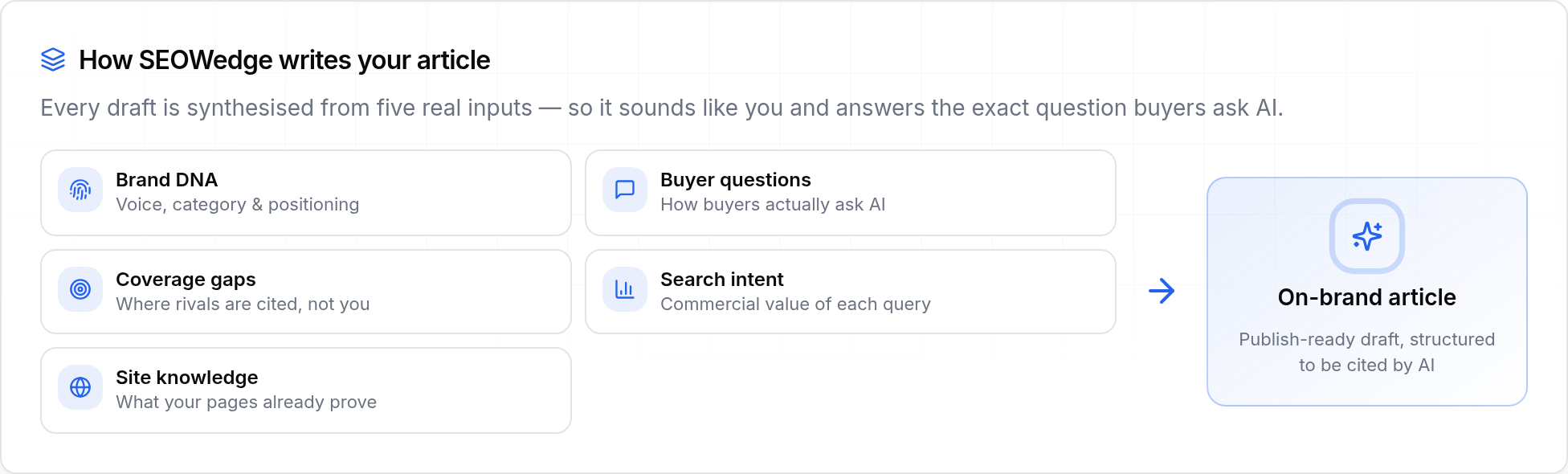
After diagnosing the misattribution, SEOWedge guides you to the next step: generating or revising the content that will be picked up by AI assistants for that buyer question. The Content Studio uses your Brand DNA profile to draft a new page or edit the existing one, ensuring the output is specific to your product and matches your brand voice.
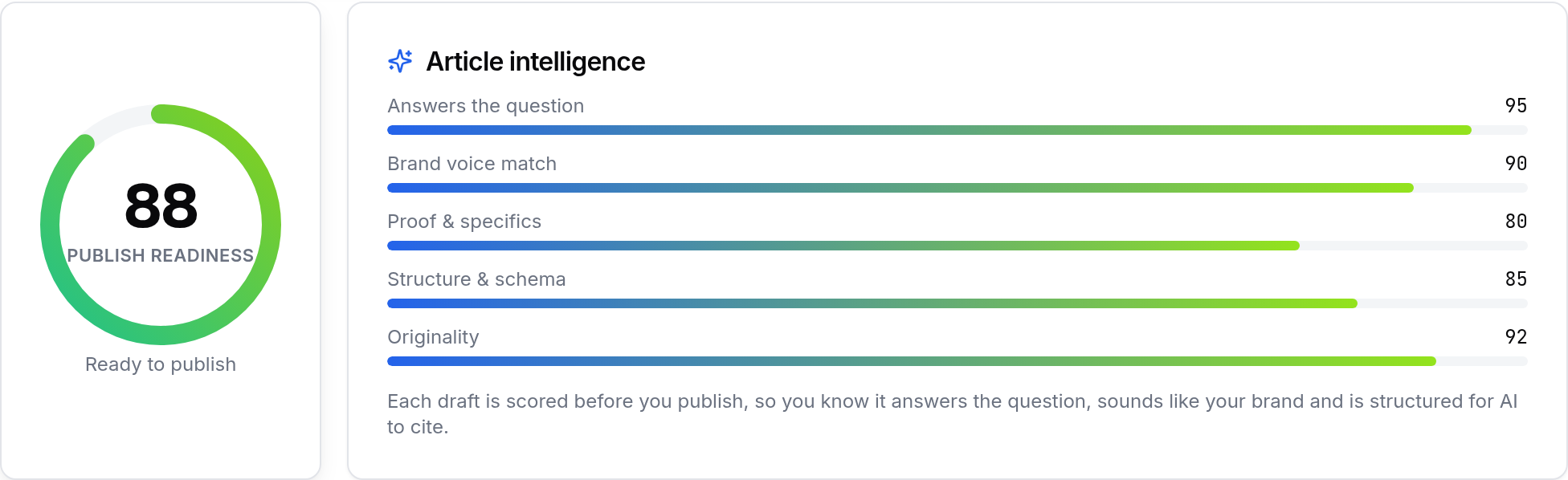
You can review, edit, and score the draft for Publish Readiness before exporting. This score is based on the structure, specificity, and answerability of the content for AI citation—not just SEO factors. Once the page is ready, you publish it on your site and, if desired, submit it via IndexNow to notify search engines and AI crawlers quickly.
This closes the loop: you move from diagnosis to a concrete, on-brand page that directly answers the buyer question and is structured for citation by AI assistants.
What Steps Should I Take When SEOWedge Flags a Misattribution?
1. Review the Action Brief to see the question, the answer, and the incorrect citation.
2. Check the cited page or competitor to understand what the AI assistant found more relevant or answer-ready.
3. Use the Content Studio to generate a new, answer-focused page or update the existing one. The brief will specify the key elements to include, such as direct product details, comparison tables, or structured data.
4. Edit and score the draft for Publish Readiness. Only export and publish when the score indicates the page is clear, specific, and matches your brand’s positioning.
5. Publish the new or revised page and, if possible, submit it via IndexNow to accelerate recrawling by AI assistants and search engines.
6. Monitor future scans to confirm when the correct product or page is cited in AI answers.
How Does SEOWedge’s Workflow Compare to Manual Checks or Classic SEO Tools?
Classic SEO tools track rankings and links but do not sample or record what AI assistants actually say about your brand or which product/page is cited. Manual checks require you to write prompts, ask AI assistants questions, and hope to spot misattributions—an approach that is not scalable or repeatable.
SEOWedge automates this by discovering real buyer questions, running them across multiple AI platforms, and recording the exact answers and citations. This produces a defensible, dated record of misattributions and their causes. The Action Brief then turns each one into a concrete, prioritized task. You do not need to maintain prompt lists or guess at what AI assistants are seeing.
For a broader breakdown of how SEOWedge’s workflow differs from classic SEO or prompt-based tools, see What Makes SEOWedge Different from Traditional SEO Tools for Ecommerce?.

What If My Brand Is Cited Inaccurately, Not Just for the Wrong Product?
If your brand is cited in AI answers for something it does not offer, or for outdated or misleading claims, SEOWedge handles this as a related but distinct problem. The workflow is nearly identical: the scan surfaces the inaccurate citation, the Action Brief explains the cause, and you are guided to publish a corrective page that clarifies your actual offer or position.
For detailed guidance on handling inaccurate or misleading citations (not just wrong product/page), see Can SEOWedge Help Me Diagnose Why My Brand Is Cited Inaccurately in AI Answers?. Both workflows move you from diagnosis to a publish-ready fix, but the root cause and recommended actions may differ.
How Do I Ensure the New Content Is Structured for AI Citation?
SEOWedge’s Content Studio is built around AI citation, not just SEO. Each draft is scored for Publish Readiness based on how clearly it answers the buyer question, how well it matches the Brand DNA, and whether it includes the structures AI assistants use for citation (such as direct answers, product tables, or clear headings).
You can preview the structure, edit for specificity, and confirm that the final output is not generic. The system is designed to avoid the common pitfalls that cause misattribution: vague product descriptions, lack of direct answers, or missing schema.
For more on structuring pages for AI citation, see Answer Engine Optimization (AEO): How to Become the Quoted Source and AEO Checklist for Ecommerce.
What’s My Next Step if I Need to Diagnose and Fix Brand Misattribution in AI Answers?
Start with a free SEOWedge scan—no card required—to see if your brand is being cited for the wrong product or page in AI answers. The scan will surface any misattributions and provide a sample Action Brief. You can then decide whether to generate a new page, revise an existing one, or upgrade for full access to bulk fixes and multi-platform scans.
If you want to see a public sample before running your own scan, visit the sample report. To compare plan limits or see what’s included at each price point, see Pricing. For a deeper dive into the workflow from diagnosis to published fix, read How SEOWedge Turns AI Visibility Gaps Into Actionable Content.
This page is your reference for diagnosing and fixing brand misattribution in AI answers. For adjacent issues—such as missing citations, outdated content, or inaccurate claims—see the related guides in the Resources hub.
How this was tested
This page is based on SEOWedge's workflow as tested on August 24, 2026. All claims about diagnosis, Action Briefs, and content generation are drawn from observed product behavior and the official product facts. SEOWedge samples AI answers from OpenAI (GPT) and Google Gemini (on paid plans), records the cited sources, and produces actionable recommendations based on the sampled data. Screenshots are from the live product interface. No outcomes or statistics are invented or extrapolated beyond these facts.
What this page does not cover
This page covers the workflow for diagnosing and fixing brand misattribution in AI answers using SEOWedge. It does not cover general SEO ranking, classic link monitoring, or manual prompt tracking. For diagnosing missing citations, see Can SEOWedge Help Me Understand Why My Site Is Missing from AI Answers?. For fixing outdated or irrelevant citations, see Can SEOWedge Help Me Fix Pages That Are Cited Incorrectly in AI Answers?. All data and workflow details are current as of August 24, 2026 and reflect SEOWedge's capabilities for ecommerce and agency users.
Questions buyers ask us
How does SEOWedge know if my brand is cited for the wrong product or page?
SEOWedge samples real AI answers for high-intent buyer questions and records which product or page is cited for your brand. If the cited source does not match your intended product or landing page, it is flagged as a misattribution. The process is based on observed, dated answers, not keyword matches.
What if the wrong product is cited on only one AI assistant but not others?
SEOWedge tests each question across all supported AI platforms (OpenAI on all plans, Google Gemini on paid plans) and records the result separately. You see which assistant made the misattribution, so you can target fixes where they matter most. This prevents over-correcting for platforms where the citation is already correct.
Can SEOWedge tell me exactly what to change on my page to fix the misattribution?
Yes. The Action Brief specifies whether the cause is content, structure, or technical. It will recommend the type of answer, structure, or schema needed to make your page the clear, citable source for the buyer question. You can generate a new page or update the existing one directly from the brief.
How long does it take for AI assistants to update their citations after I fix the page?
Citations in AI answers update when the assistant re-crawls and chooses new sources, which typically takes weeks, not hours. SEOWedge supports IndexNow submission to notify engines of the change, but the timeline depends on the assistant’s own recrawl schedule. Each scan is a one-time snapshot, so you see the effect at the next measurement point.
Is this workflow different from fixing classic SEO ranking issues?
Yes. Classic SEO tools focus on keyword rankings and links, but do not show which product or page is actually cited in AI answers. SEOWedge measures actual AI citations and misattributions, then guides you to create or revise the exact page needed to win future citations. This is answer engine optimization (AEO) and generative engine optimization (GEO), not just SEO.
Can I use SEOWedge for free to diagnose misattributions, or do I need a paid plan?
You can run a free scan with no card required. The free scan surfaces one misattribution and provides a sample Action Brief. For bulk diagnosis, multi-platform scans, and generating multiple fixes at once, a paid plan is required. See Pricing for details.
See what AI assistants say about your site
Enter your domain and SEOWedge runs a free scan: your AI-Visibility score, the buyer questions where a competitor is named instead of you, and the first page to fix. No install, no sales call.