
Can SEOWedge Help Me Create Answer-Ready Content for Pre-Purchase Support Questions?
SEOWedge discovers real pre-purchase support questions buyers ask—like delivery, returns, sizing, and guarantees—then shows which ones your site fails to answer or win citations for. It generates on-brand, answer-ready content for each gap, structured for AI citation. This workflow turns overlooked support queries into high-trust, conversion-driving pages that surface your brand in AI answers.
By the SEOWedge Research Team · Published August 24, 2026 · Last tested August 24, 2026 · Updated August 24, 2026 · 7 min read
What to take away
- SEOWedge discovers real support questions buyers ask before purchase—no prompt writing needed.
- It pinpoints which pre-purchase support queries your site misses in AI answers, naming the exact gap.
- You get Action Briefs and on-brand, answer-ready content for each support gap, ready to publish.
- Publish-ready support pages are structured for AI citation, increasing trust and conversion rates.
- The free scan shows your top missed support opportunities—no card required.
What Pre-Purchase Support Questions Does SEOWedge Discover for My Brand?
SEOWedge automatically uncovers the actual support questions buyers ask before purchasing—no prompt writing or manual research required. These include questions about delivery times, shipping costs, return policies, product sizing, guarantees, payment methods, and in-stock status. The system phrases each question the way real buyers do in your category, not as generic FAQ items.
For example, SEOWedge might surface: “How fast is delivery for [your brand]?”, “What is the return policy for [product]?”, or “Does this item come with a warranty?” These are the queries that AI assistants answer in pre-purchase moments and that drive conversion if your brand is named or cited.
On every scan, SEOWedge discovers 5 to 25 unique support questions per site, depending on plan. This ensures your coverage matches what buyers and AI assistants actually want to know before purchase.
| Plan | Support Questions Discovered Per Scan |
|---|---|
| Free | 5 |
| Pro | 12 |
| Agency | 25 |
Number of pre-purchase support questions surfaced per scan, by SEOWedge plan.
How Does SEOWedge Identify Which Support Questions Are Missing or Poorly Answered?
After discovering support questions, SEOWedge sends each one to AI assistants—OpenAI (GPT) on every plan, and Google Gemini on paid plans. It records which brands and pages are cited in the answers for each question. If your brand is not named, or if a competitor’s page is cited instead, that gap is flagged.
SEOWedge shows you exactly which support queries your site fails to win in AI answers. It names the competitor or third-party source that is being cited, and identifies the specific page type (FAQ, shipping policy, product detail, etc.) behind the gap. This is not a keyword gap; it is a citation gap, visible in real AI outputs.
The interface ranks these missed support questions by impact, so you see which ones cost you the most trust or conversion. You do not have to guess which support topics matter—SEOWedge makes the gap visible and actionable.
| Support Question | Current Cited Source | Gap Type |
|---|---|---|
| What is your return policy? | Competitor.com/returns | Missing or outdated answer |
| How fast is delivery? | Marketplace.com/shipping | No answer page found |
| What sizes are available? | Competitor.com/sizing | Partial answer, not cited |
Examples of pre-purchase support gaps SEOWedge detects in AI answers.

How Does SEOWedge Turn a Support Gap Into an Actionable Task?
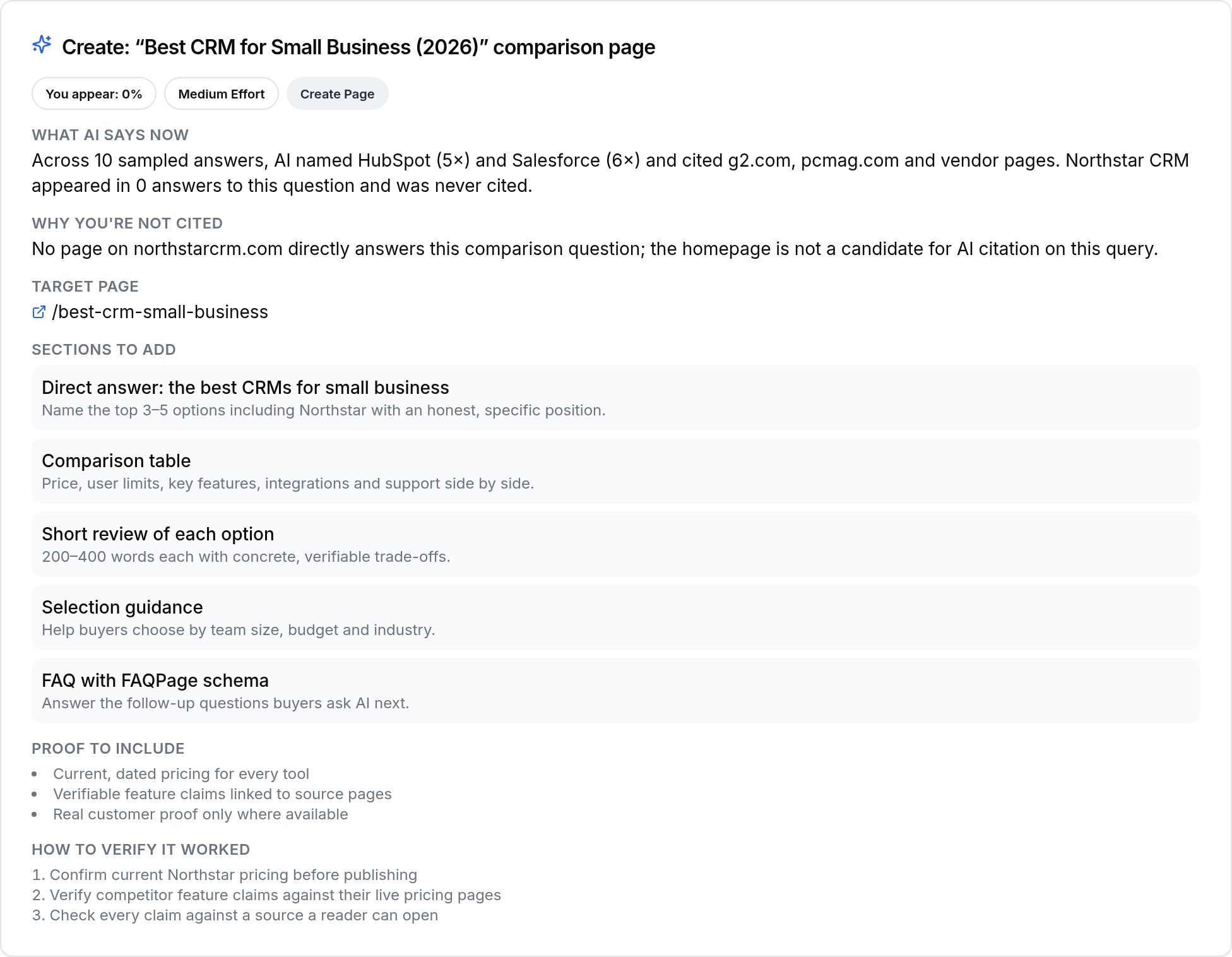
For every missed or weakly answered support question, SEOWedge generates an Action Brief. This brief explains why your site is not being cited—whether the answer is missing, outdated, or buried on the wrong page. It names the exact page to create or revise, and specifies what content elements must be present to win a citation.
The Action Brief includes the buyer’s actual question, a summary of what AI assistants currently cite, and a checklist of what to fix. For example: “AI answers cite Competitor.com/returns because their page gives a clear, direct return policy with a summary table. Your returns info is only in a PDF and not crawlable.”
This process removes guesswork. You do not have to interpret vague audit results—each Action Brief is a concrete, step-by-step task tailored to the support question that matters most.
| Action Brief Element | Description |
|---|---|
| Question | How fast is delivery for [brand]? |
| Current Cited Source | Competitor.com/shipping |
| Reason for Gap | No clear delivery time on your site |
| Recommended Fix | Create a shipping info page with delivery time table |
What a SEOWedge Action Brief contains for a support question gap.
How Do I Generate On-Brand, Answer-Ready Support Content with SEOWedge?
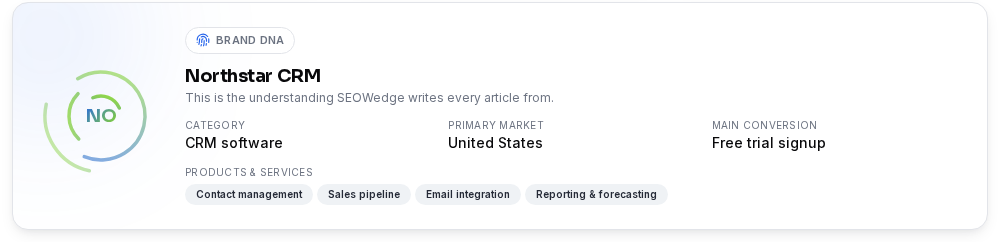
Once you select a support gap to fix, SEOWedge’s Content Studio generates a draft page or section, written in your brand’s voice. The Brand DNA profile—extracted from your site—ensures that content is specific, accurate, and matches your product and policy details. You can edit, revise, and refine the draft before publishing.
The generated content is not a generic FAQ. It is structured for direct citation by AI assistants: clear question-and-answer blocks, summary tables for policies, and markup that matches what answer engines lift. For example, a delivery info page will include a table of shipping times by region, a clear headline, and a direct answer in the first paragraph.
You can generate and edit one article on the Free plan, up to 30 per month on Pro, and 150 per month on Agency. Paid plans allow bulk drafting, so you can close multiple support gaps in one workflow.
| Plan | Articles/Support Pages Generated Per Month |
|---|---|
| Free | 1 (lifetime) |
| Pro | 30 |
| Agency | 150 |
Monthly support content generation limits by SEOWedge plan.
What Does a Publish-Ready Support Answer Page Look Like?
A publish-ready support answer page created with SEOWedge includes a direct answer to the buyer’s question, structured in a way that AI assistants can cite. The page features a clear headline, concise summary, detailed answer section, and—where relevant—tables or bulleted lists. Schema markup is included where it helps, but the focus is on visible, clear text that matches buyer intent.
Each draft receives a Publish Readiness score, measuring how well it answers the question, matches your Brand DNA, and fits AEO/GEO best practices. You can see exactly which elements are present or missing before you publish. This score is deterministic: it is based on the presence of answer blocks, clarity, and completeness, not just word count or keyword use.
This structure increases the chance your page is cited in AI answers for high-trust, conversion-critical queries.
| Element | Purpose |
|---|---|
| Direct Answer Block | AI can lift and cite the answer |
| Summary Table | Quick reference for policies (delivery, returns, sizing) |
| Brand Voice | Matches your site and product details |
| Schema Markup | Supports AEO/GEO, not required but helpful |
Key elements of an answer-ready support page in SEOWedge.

How Does This Workflow Compare to Manual Research or Prompt-Based Tools?
Manual research or prompt-based tools require you to write and maintain your own list of support questions, then check answers by hand. SEOWedge automates discovery, testing, and gap detection—no prompt writing, no manual sampling, no guessing which support topics matter for AI answers.
Unlike classic SEO tools, SEOWedge does not just track rankings or keywords. It measures real AI answers, records which pages are cited, and produces the exact content needed to win those citations. The workflow is a single loop: discover the support gap, generate the fix, score it for readiness, and publish.
For a detailed comparison of prompt-based versus discovered-question workflows, see How Does SEOWedge Find Buyer Questions for My Ecommerce Site?.
| Workflow Step | SEOWedge | Manual/Prompt-Based |
|---|---|---|
| Question Discovery | Automated, buyer phrasing | Manual prompt writing |
| Gap Detection | AI answer sampling | Manual checking |
| Content Generation | On-brand, answer-ready | Manual or generic AI writer |
| Readiness Scoring | Deterministic, structured | Subjective, manual review |
Comparison: SEOWedge vs. manual/prompt-based support content workflow.

What’s the Fastest Way to See My Support Content Gaps and Start Closing Them?
You can start with a free scan—no card required. Enter your domain and SEOWedge will crawl your site, extract your Brand DNA, and discover five real support questions buyers ask in your category. It tests these against OpenAI (GPT) and shows which support queries you miss in AI answers, naming the cited competitor or third-party source.
You receive one Action Brief and one free article draft, so you can see the workflow from gap discovery to answer-ready page. Upgrading to a paid plan unlocks more questions, more Action Briefs, and bulk content generation—so you can close your entire support gap list at once.
For more on what’s included free and what changes on paid, see SEOWedge Free vs Paid Plans for Ecommerce.
| Step | Free Plan | Paid Plans |
|---|---|---|
| Support Questions Discovered | 5 | 12–25 |
| Action Briefs | 1 | 8–unlimited |
| Articles Generated | 1 (lifetime) | 30–150/month |
| Bulk Drafting | No | Yes (3–10 at once) |
Free vs. paid: support opportunity discovery and content generation in SEOWedge.

Where Do I Go Next If I Want to Create Answer-Ready Support Content for AI Search?
If you want to see your own support content gaps, start with the free scan. You’ll get a snapshot of your AI visibility for pre-purchase support questions, plus a ready-to-edit answer page. For a deeper dive into structuring answer-ready content, see the AEO Guide.
If your team needs to close multiple support gaps at once or cover several brands, review the SEOWedge pricing to find the plan that matches your scale. For practical examples of support content in action, visit the public sample report.
How this was tested
All numbers and workflow details are based on SEOWedge's live product as of 2026-08-24. SEOWedge crawls the submitted ecommerce domain, discovers buyer questions using its own extraction and clustering, and tests those questions against OpenAI (GPT) and Google Gemini (on paid plans). Gaps and citations are recorded from actual AI answers, not inferred from rankings. Content generation and scoring are performed using the Brand DNA extracted from the site. Screenshots are from the current interface.
What this page does not cover
This page focuses on pre-purchase support questions (delivery, returns, sizing, guarantees, etc.) and SEOWedge's workflow for surfacing and closing those gaps. It does not cover post-purchase support, non-support product queries, or technical SEO details—see the AEO checklist or LLM SEO guide for those. All workflow and measurement claims are specific to SEOWedge's approach and scan method as of 2026-08-24.
Questions buyers ask us
What support questions does SEOWedge actually find for my store?
SEOWedge surfaces real buyer questions about delivery, returns, sizing, guarantees, payment, and in-stock status. The questions are discovered automatically from your site and category, using buyer phrasing—not generic FAQ templates or prompts you have to write yourself.
How does SEOWedge know if my support answers are missing or weak?
SEOWedge tests each discovered support question against AI assistants (OpenAI on all plans, Google Gemini on paid). If your brand or page is not cited—or if a competitor is named instead—the gap is flagged. You see exactly which questions and which pages are costing you trust and conversions in AI answers.
Can SEOWedge generate support answers that match my brand voice and policy details?
Yes. SEOWedge extracts a Brand DNA profile from your site and uses it to generate support answers that match your voice, product details, and policies. You can edit every draft before publishing. The content is not generic; it is tailored to your brand and category.
What does a publish-ready support answer page include?
A publish-ready page features a direct answer block, clear headline, summary table (for delivery, returns, sizing), and brand-aligned copy. It is structured for AI citation, with schema markup where helpful. Each draft receives a Publish Readiness score so you know it meets AEO and GEO standards before publishing.
How many support gaps can I close for free?
The free plan discovers five support questions, provides one Action Brief, and lets you generate one article (lifetime). Paid plans unlock more questions, more Action Briefs, and bulk content generation. See SEOWedge Free vs Paid Plans for details.
Does SEOWedge cover non-support or post-purchase questions too?
This page focuses on pre-purchase support queries. SEOWedge also discovers product, category, and post-purchase questions, but for those workflows see the AEO checklist or service/support page workflow.
See what AI assistants say about your site
Enter your domain and SEOWedge runs a free scan: your AI-Visibility score, the buyer questions where a competitor is named instead of you, and the first page to fix. No install, no sales call.